Madha TV on Fire TV
Install the MadhaTV app on your Amazon Fire TV in six steps.
Installation Guide
Please kindly read the following information with patience. Here's how to install MadhaTV App from Fire TV:
If you don't have a voice remote...
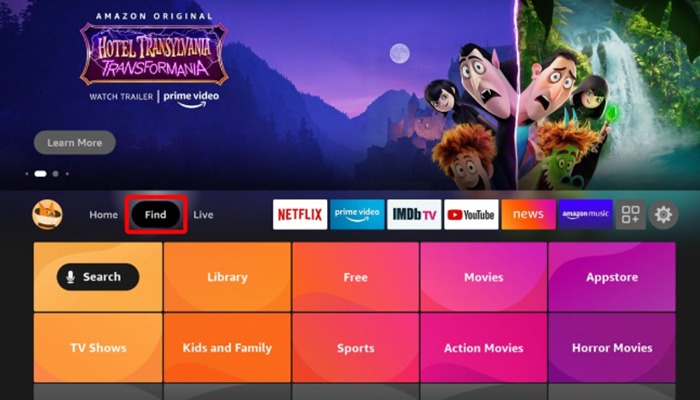
Select the Find button
Select the Find button on your Fire TV home screen. You can do this by pressing the right directional button on your remote until it is highlighted. Then click the down button on your remote to reveal the menu.
 Step 1
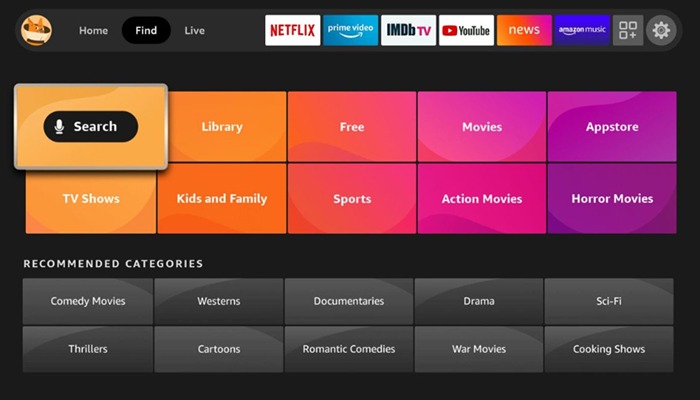
Then select Search
Navigate to the Search option and select it to begin searching for the MadhaTV app.
 Step 2
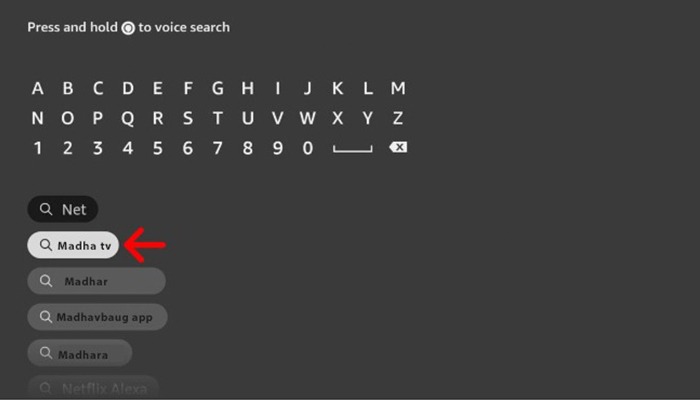
Type the app name
Next, type the name of the app you want to download. You have to do this letter-by-letter using your remote. Use the directional buttons to select each letter and the Select button to enter each letter.
Navigate and select app name
Then navigate down and select the app's name. You don't have to type the entire name to see it appear.
 Step 4
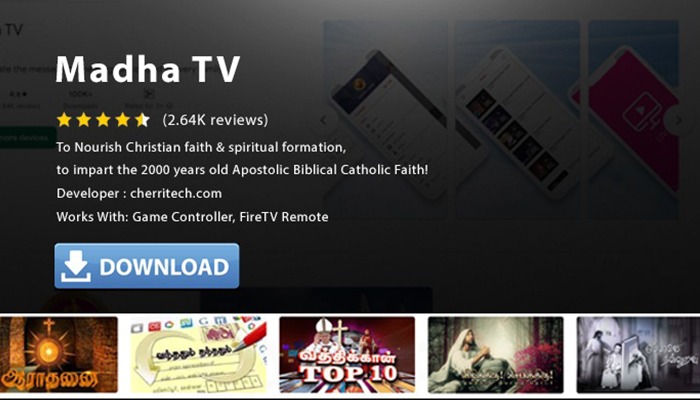
Select the app icon
Next, select the app icon. If you don't see the app you want to download, you can scroll to the right or scroll down to find it.
Finally, select Download
Finally, select Download to install the MadhaTV app on your Fire TV device.
 Step 6